Tutorials
Active Fire Detection
The following tutorial will demonstrate how to run an existing docker Image that seamlessly detects fire events across the United States using GOES satellite data.
- Go to a deployed GeoNEX website, for example:
http://13.57.231.201:8080 -
Enter XXXX for both Username and password and click login
- The dashboard page should become visible, this is where you control running Images and access their output among other things.
-
On the left menu, click on the GeoNEX Containers tab
- Under the Action column, click Action then Run for the row with the following Image:
- geonex/active_fire_go16abi15
- This will lead you to a new page for selecting the Container name (Running Image name) configurations.
- Make sure the following is entered:
- Runner Name: My Fire Detection
- Instance type: m5d.4xlarge
- Running type: real-time runner
- Data Source: GOES16
- Docker Command Line:
docker run --rm geonex/active_fire_go16abi15:1.5 -s 20183112017182 -r RadC -u s3://geonex-yunfeng/GO16_ABI15_DEMO
- Click Run Docker
- This will launch the Image as a docker container in a new AWS instance and will take you to the Real-time runner page (which is also accessible from the left-menu), where you can see the status of all Images previously run.
- If all goes well during that process the status column should eventually show running
- Every time the real-time container you just run executes, it creates a timestamped task entry.
- To view the tasks executed by the running container My Fire Detection: under the Action tab, click Action, then Tasks.
- All tasks run in the same instance designated by the instance-id column.
- Once the state column of the tasks generated show finished, you can select __Action__ then Outputs to see the outputs. Each task should take less than 5 minutes to complete.
- This Image generates 4 output files:
- .json file that contains: Fire events coordinates and their properties (temperature..) in geojson format
- .log file: Detailing a timestamped task log
- .nc file: Raw output of fire detection script (fire mask map in netcdf format)
- .png file: A visual output showing a map with overlaid fire data.
- As long as the container is running, these tasks will be executed as soon as GOES maps are available.
- WARNING: Make sure to stop the container once you no longer need real-time outputs to save on costs.
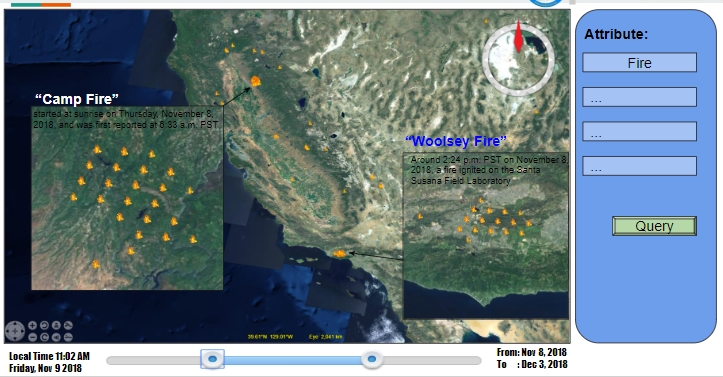
- A sample display of the output is shown below: